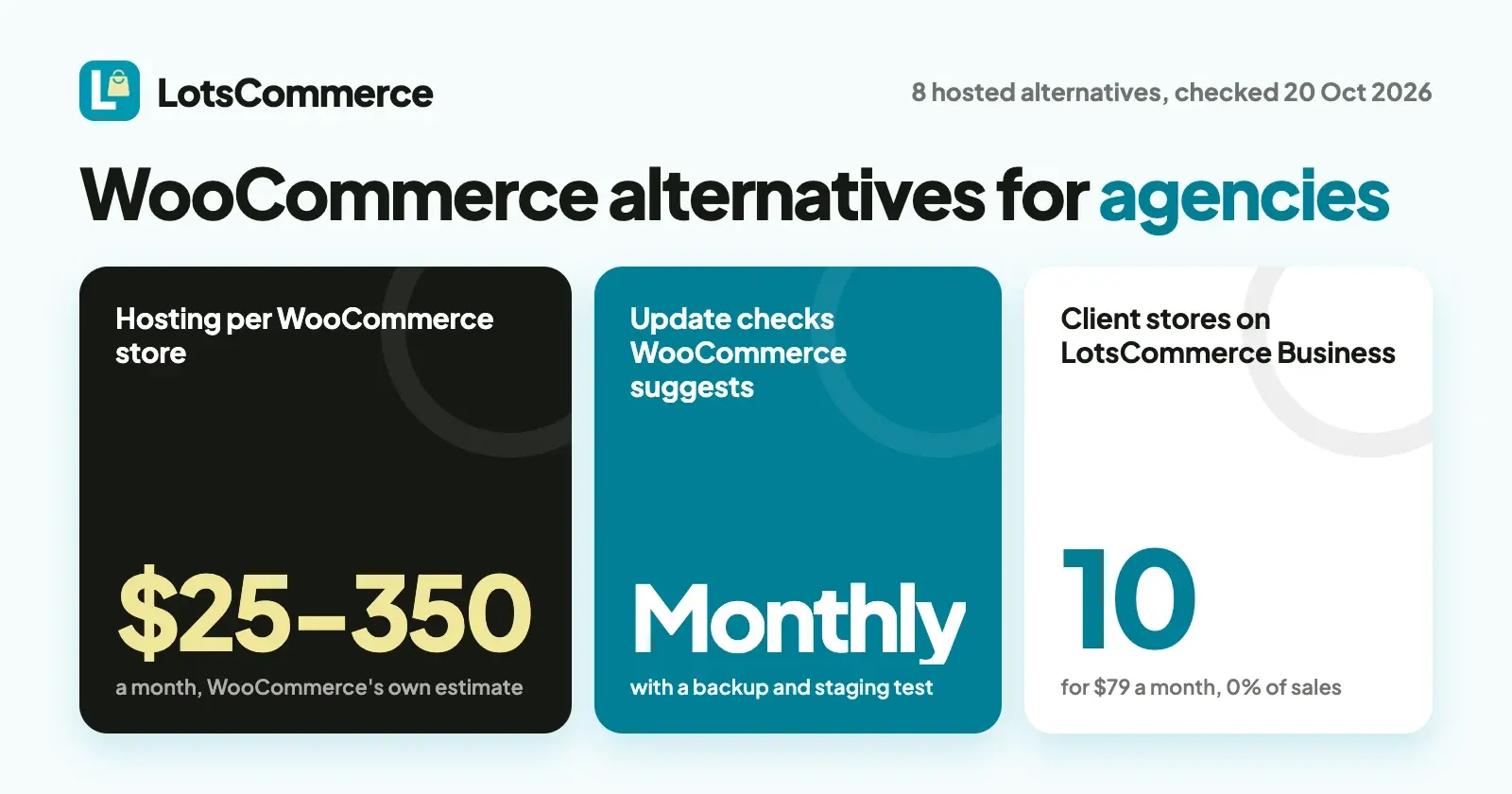
If you're tired of updating plugins, paying for hosting and patching security on every client's WooCommerce store, move those clients to a hosted store platform where the platform does that work. LotsCommerce runs up to 10 client stores for $79 a month, takes 0% of sales and pays each client into their own account. Shopify, BigCommerce, Squarespace, Square Online, Ecwid, Big Cartel and Wix are the other hosted options, each compared below.
WooCommerce is a good piece of software. The problem for an agency is that every client store is its own WordPress site to host, update, back up and fix when an extension breaks. With five or ten store clients, that upkeep becomes a second job. I opened every vendor's own pages on 20 October 2026 for the prices and terms below. Prices are in US dollars before tax, monthly first, then the per-month price when billed yearly.
What maintaining a WooCommerce store involves, in WooCommerce's own words
Before comparing alternatives, here's the work you'd be leaving behind, from WooCommerce's own pages (checked on 20 October 2026):
- Updates every month. WooCommerce's update guide recommends checking WooCommerce, WordPress, extensions, themes and payment gateways for updates on a monthly schedule, and sooner when a release fixes a security issue.
- A backup and a staging test before each update. The same guide says to make a current backup and test the update on a staging site whenever possible.
- Hosting for each store. WooCommerce's pricing page puts hosting at $25 to $350 a month for most stores, scaling with traffic.
- Paid extensions. The same page puts extensions at $29 to $299 a year each.
Multiply that by every client store you look after. That's the time and cost an agency gets back on a hosted platform: the platform hosts, updates and secures the store, and you work on the client's catalog, design and sales.
WooCommerce alternatives at a glance
Checked on 20 October 2026.
| Platform | Starting price | Fee on your client's sales | Several client stores | Worth knowing |
|---|---|---|---|---|
| LotsCommerce | Starter $12 a month ($10 yearly), 1 store | 0% on every plan | Pro 3 stores ($29), Business 10 stores ($79), one account | Every feature on every plan; each store pays the client's own account |
| Shopify | Basic $39 a month ($29 yearly) | 0% with Shopify Payments; 2% on Basic with another provider | Partners build client stores free, then transfer them to the client | The largest app and theme ecosystem |
| BigCommerce | Core $39 a month ($29 yearly) | 0% with embedded providers such as Stripe and PayPal; 2% on Core with others | Extra storefronts on one store: $30, $50 or $100 a month (up to 3, 5 or 8) | Plans are capped by yearly sales |
| Squarespace | Basic $25 a month ($19 yearly) | 2% on Basic, 0% from Core ($39, or $29 yearly) | Each site is paid for separately; no multi-site plans | A full website builder with a store |
| Square Online | Free plan, $0 a month | Online card processing 3.3% + 30¢ on Free, 2.9% + 30¢ on paid plans | Multiple website management on every plan | Paid plans priced per location ($49 and $149) |
| Ecwid | Starter $5 a month (10 products) | 0% on all plans | Add one store to several existing sites | Embeds into an existing WordPress site |
| Big Cartel | Free Gold plan (limited); Platinum $15 a month | 0% ("we never take a cut") | One shop per login | Sales tax autopilot, shipping label printing |
| Wix | See Wix's plans page | See Wix's plans page | Each site needs its own paid site plan | A general website builder with a store |
1. LotsCommerce: every client store in one account, paid straight to the client
I built LotsCommerce for exactly this job: an agency running stores for several clients without a server, a plugin list or an app bill per client.
- One account, a separate store per client. Each store has its own catalog, stock, domain, team and payment account. Nothing is shared between clients.
- Nothing to host or update. The store runs on our address (yourstore.lotscommerce.com) or the client's own domain, with HTTPS set up for you. There are no plugins or themes to update and no extensions to renew.
- Every feature on every plan. Unlimited products with variants, categories and collections; stock per variant with a low-stock view; orders the seller accepts before they go ahead, then fulfils, ships with any carrier and refunds; discount codes; shipping zones and rates; shopper accounts, wishlists and reviews; analytics with a visit-to-order funnel; CSV import and export.
- The client's money goes to the client. Each store connects the client's own Stripe account (in the countries Stripe supports) or Razorpay account (for businesses registered in India), or takes UPI and WhatsApp orders settled with the client. LotsCommerce never holds the money and takes 0% of sales.
- A role for each client. Invite the client and their people to their own store as admin, manager, staff or viewer. They see their store and nothing else in your account.
- Price per store, not per sale. Starter $12 a month (1 store), Pro $29 (3), Business $79 (10). Extra stores are paid from credits at your plan's rate. New accounts get 15,000 free credits, valid 90 days, no card. Full details on the pricing page.
- When a client leaves. As owner, you can archive their store: the storefront goes offline, billing for it stops, nothing is deleted, and you can restore it within 30 days.
The full agency setup is in LotsCommerce for agencies.
2. Shopify
- Plans (checked 20 October 2026): Basic $39 a month ($29 yearly), Grow $105 ($79), Advanced $399 ($299), Plus from $2,300 a month.
- Fees: no third-party transaction fee with Shopify Payments. With another payment provider, Shopify adds 2% on Basic, 1% on Grow and 0.6% on Advanced.
- For agencies: Shopify Partners can build a client transfer store in their own organization, then transfer ownership to the client when it's ready to go live. After the transfer the merchant owns the store. Partners can also work in a merchant's existing store as a collaborator.
- Where it's strong: the biggest app and theme ecosystem, built-in tax tools, live shipping rates on higher plans, and selling in person.
3. BigCommerce
- Plans (checked 20 October 2026): Core $39 a month ($29 yearly) up to $30K in yearly sales, Growth $105 ($79) up to $100K, Scale $399 ($299), Performance from $1,499 a month billed yearly.
- Fees: none with its embedded payment providers, which include Stripe and PayPal. Orders through other providers carry a fee of 2.0%, 1.0% or 0.6% depending on the plan.
- Several storefronts: Multi-Storefront adds storefronts to one store at $30 a month each on Core (up to 3), $50 on Growth (up to 5) and $100 on Scale (up to 8). BigCommerce's help center notes that user permissions are global and shared across all storefronts, so it's built for one business with several brands or regions.
- Where it's strong: a large catalog per storefront, B2B features and headless options.
4. Squarespace
- Plans (checked 20 October 2026): Basic $25 a month ($19 yearly), Core $39 ($29), Plus $65 ($49), Advanced $139 ($99).
- Fees: 2% on online store sales on Basic; 0% from Core up.
- For agencies: you can manage several sites from one login, but Squarespace says each site is paid for separately and it doesn't offer discounts or plans for multiple sites (help article).
- Where it's strong: design templates and a full website around the store.
5. Square Online
- Plans (checked 20 October 2026): Square Free $0 a month, Plus $49 and Premium $149 a month, both per location.
- Fees: online card processing is 3.3% + 30¢ on Free and 2.9% + 30¢ on Plus and Premium. Payments run through Square.
- For agencies: multiple website management is listed on every plan.
- Where it's strong: a free way to start, and sellers already on Square can assign products from their Square item library to each site.
6. Ecwid
- Plans (checked 20 October 2026): Starter $5 a month (up to 10 products), Venture $35 ($29 yearly, 100 products), Business $65 ($49, 2,500 products), Unlimited $149 ($119).
- Fees: "we don't charge any setup or transaction fees on any of our plans."
- For agencies: Ecwid adds a store to an existing website, including WordPress, and can add the same store to several sites managed from one account.
- Where it's strong: the lowest entry price here, and an easy fit if the client wants to keep their WordPress site and replace only the shop.
7. Big Cartel
- Plans (checked 20 October 2026): Gold is free with limited features, Platinum $15 a month, Diamond $30 a month.
- Fees: "we never take a cut."
- For agencies: each shop is its own login; Big Cartel's help center says you log out of one shop to sign in to another.
- Where it's strong: a free start, sales tax autopilot, label printing with up to 90% off shipping, and selling in person.
8. Wix
- Plans: Wix's plans page shows prices by location, so check it in your own region.
- For agencies: Wix's help center says a site plan can't be used for multiple sites; each site you upgrade needs its own plan. There's no limit on how many sites or plans one account holds.
- Where it's strong: one builder for the whole website, with the store inside it.
When WooCommerce is still the right call
WooCommerce has real strengths, and for some clients they outweigh the upkeep:
- The plugin is free and open source, with 0% revenue share.
- The client owns the code and the server. Nothing about the store depends on one hosted platform's roadmap.
- A huge extension marketplace covers almost any requirement, and a developer can build what's missing.
- It sits inside WordPress, so a content-heavy client keeps one site for their blog and shop.
If a client needs deep custom development, or already has a developer maintaining their WordPress site, WooCommerce is a sensible place to stay. The alternatives above suit the clients who want a store that runs every day without you looking after a server.
How to move a client store from WooCommerce to LotsCommerce
- Export the products. WooCommerce has a built-in CSV tool that exports products to a spreadsheet.
- Open the client's store. Pick a name and the client's country. The country sets the store currency and can't change later.
- Import the catalog. Download the store's CSV template, copy the columns from your WooCommerce export into it (title, description, images, SKU, price, stock and up to three options such as size and colour), and import it. Categories and collections are matched by name. Or add products one by one with their variants, photos and prices.
- Invite the client as admin. Admins can manage payments, so the client connects their own Stripe or Razorpay account on the store's Payments page, or turns on UPI or WhatsApp orders. Their keys never pass through you. Place a test order and refund it before going live.
- Set shipping zones, rates and launch discount codes.
- Point the domain and publish. Add one CNAME record at the client's DNS provider; HTTPS is set up automatically. Then put the store live and retire the old WordPress shop when you're ready.
Past orders and customer records stay in WooCommerce, so keep a backup of the old site for the client's records.
Or let your AI assistant do the catalog work
Everything above works in the LotsCommerce dashboard, and neither you nor the client needs an AI assistant. If you already use ChatGPT, Claude or another assistant, connect it to LotsCommerce and hand it the repetitive part. For example, with a product export attached:
Create a LotsCommerce store called Fernhill Candle Co. that sells in US dollars. Add every product from this WooCommerce export as a draft, with its sizes, prices and stock, and don't invent anything that isn't in the file. Then invite owner@example.com to the store as an admin and show me the store address before anything goes live.
The assistant adds products in batches, invites the client with the role you name, and every change shows in the dashboard. Here's how to connect your assistant.
FAQ
What is the best WooCommerce alternative for an agency?
It depends on your clients. If you run several client stores and want each one paid into the client's own account with nothing to host or update, LotsCommerce covers 10 stores for $79 a month and takes 0% of sales. Shopify suits agencies that build stores and transfer them to clients, and Ecwid suits clients who want to keep their WordPress site.
Is WooCommerce really free?
The WooCommerce plugin is free, with 0% revenue share. WooCommerce's own pricing page puts hosting at $25 to $350 a month for most stores and extensions at $29 to $299 a year each, plus your payment provider's fees (checked on 20 October 2026).
Which WooCommerce alternatives take no cut of sales?
LotsCommerce, Big Cartel and Ecwid take 0% on every plan. Shopify is 0% with Shopify Payments, BigCommerce with its embedded providers such as Stripe and PayPal, and Squarespace from its Core plan. Your payment provider's own fee applies on all of them.
Can I run several client stores from one account?
On LotsCommerce, yes: Pro covers 3 stores and Business 10, each separate with its own catalog, domain, team and payment account. Squarespace and Wix need a separate plan per site, and BigCommerce sells extra storefronts on a single store (checked on 20 October 2026).
Can I move my WooCommerce products to LotsCommerce?
Yes. Export your products with WooCommerce's built-in CSV tool, copy the columns into LotsCommerce's CSV template and import it, or add the products with their variants, photos and prices. You can check every product before the store goes live.
Who holds the client's money on LotsCommerce?
The client does. Each store connects the client's own Stripe or Razorpay account, or takes UPI and WhatsApp orders settled with the client directly. LotsCommerce never holds the money and takes 0% of sales.