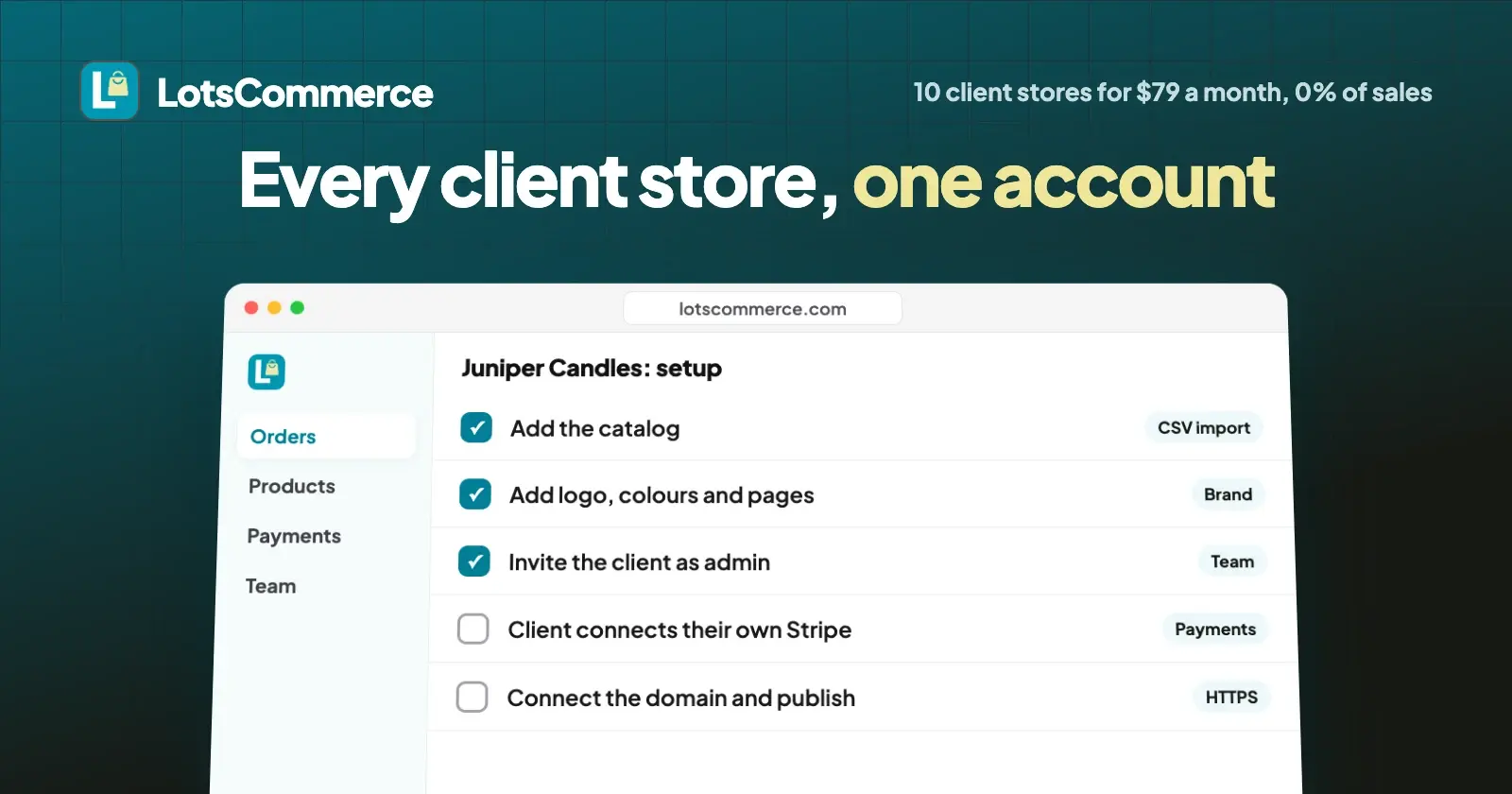
If you build online stores for clients, LotsCommerce lets you run every one of them from a single account. Each client gets a separate store with its own catalog, domain, team and payment account, so their sales go straight to them and we take 0%. The Business plan covers 10 stores for $79 a month.
I built LotsCommerce with agencies and freelancers in mind first: people who set up stores for clients today and end up juggling a login, a subscription and an app stack per client. Here's how running client stores works, what it costs, and how to set up the next one.
How it works: one account, a separate store per client
You sign in once with your Lots account and see every store you're part of. Each store stands on its own:
- Its own address. A free clientname.lotscommerce.com address to start, then the client's own domain with HTTPS set up for you.
- Its own catalog and stock. Products, variants, categories and collections, with stock tracked per variant and a low-stock view. Nothing is shared between stores, so one client's products never show up in another's.
- Its own currency. You pick the store's country when you open it, and the country sets the currency. It can't change later, so pick the client's country from the start.
- Its own payment account. Each store connects its own payment methods. The client's shoppers pay into the client's account.
- Its own team. You invite the client and their people to that store only, each with the role they need.
- Its own brand. Logo, colours, pages and policies, previewed before anything goes live.
Every plan has every feature, and products, orders, customers and teammates are unlimited on every store. The only thing plans change is how many stores they cover.
What it costs to run client stores
You pay per store, not per client seat or per sale. Prices from the LotsCommerce pricing page, checked on 19 October 2026:
| Plan | Stores included | Monthly | Yearly (two months free) |
|---|---|---|---|
| Starter | 1 | $12 | $120 |
| Pro | 3 | $29 | $290 |
| Business | 10 | $79 | $790 |
- Business gives you the lowest price per store, which is why it's the plan for agencies running many client stores.
- More stores than your plan covers? Extra stores are paid from your LotsTech Credits at your plan's rate, automatically. Without a plan, each store is $15 a month from credits, charged daily.
- LotsCommerce takes 0% of every store's sales. The client's payment provider charges its own processing fee in the client's own account. We add nothing on top.
- Pro and Business include LotsNotes Pro while active.
- To start: new accounts get 15,000 free credits, valid 90 days, no card. That's about a month of one store, enough to build a first client store and show it to them.
You decide how to bill your clients for the store and your work. LotsCommerce bills you for the stores; it never touches your client's sales.
Your client's money goes straight to your client
This is the part clients care about most, and the reason agencies ask me about LotsCommerce. The money never passes through your agency, and it never passes through us. LotsCommerce never holds the money.
Each store offers the ways to pay that suit the client:
- Their own Stripe account: cards and wallets, in the countries Stripe supports. Shoppers pay on Stripe's own checkout page and the money lands in the client's Stripe balance. The store uses one restricted key with three permissions; it can't pay out money or change bank details, and it can be deleted in Stripe at any time. How to connect Stripe.
- Their own Razorpay account: cards, UPI, netbanking and wallets, for businesses registered in India. The client signs in on Razorpay's own site and approves the store there; there's no key or password to share. How to connect Razorpay.
- UPI to their UPI ID, confirmed in their bank app before the order goes ahead.
- Orders on WhatsApp, settled with the client directly.
The clean way to do it: invite the client to their store as an admin. Admins can manage payments, so the client opens the store's Payments page and connects their own account themselves. Their keys and passwords never go through you. Both payment guides start in test mode, so you and the client can place a test order and refund it before going live.
Give each client the role they need
Every store has five roles. You invite people by email; they get a link and have access once they accept it, signed in with that email.
| Role | What they can do | Who it suits |
|---|---|---|
| Owner | Full control of the store, billing-sensitive settings and team access | You, the agency. The store sits on your account and plan |
| Admin | Storefront settings, payments, shipping, products, orders, customers and team members | The client's owner, who connects their own payment account |
| Manager | Daily work: products, inventory, orders, customers, discounts, reviews and analytics | The client's shop manager |
| Staff | Catalog and stock work, without admin settings such as payments, domains or team | A part-timer adding products |
| Viewer | Read-only access | The client's accountant, or a consultant |
People only see the stores they're invited to. Your client's manager sees their own store and nothing else in your account. You can change a role or remove someone at any time, and their activity history stays in place.
Set up a new client store in seven steps
- Open the store. Pick a name and the client's country. The store and its dashboard are ready in a minute, on a free lotscommerce.com address.
- Add the catalog. Add products with photos, sizes and prices, or import the whole catalog from a spreadsheet (CSV).
- Make it theirs. Add the client's logo, colours, pages and policies, then preview every change before shoppers see it.
- Set shipping and discounts. Shipping zones and rates you set, with any carrier, plus discount codes for launch.
- Invite the client. Invite them as admin, and their team as manager, staff or viewer.
- Connect payments. The client connects their own Stripe or Razorpay account on the Payments page, or turns on UPI or WhatsApp orders. Place a test order, refund it, then switch to live mode.
- Connect the domain and publish. Add one CNAME record at the client's DNS provider; HTTPS is set up automatically. Then put the store live.
Running client stores day to day
- Orders wait for the seller. Each new order is accepted before it goes ahead, so nothing ships by surprise. Then fulfil, ship with any carrier with a tracking number and link, and refund from the order page. Rejecting an order that was paid online queues its refund.
- Know what needs attention. Each store shows orders waiting to be accepted, products running low and reviews to approve, plus analytics with a funnel from visit to order. That gives you something concrete to report to each client.
- Shoppers come back. Shopper accounts, saved addresses, wishlists and reviews the store approves.
- If a client pauses or leaves. As owner, you can archive their store: the storefront goes offline and billing for that store stops, nothing is deleted, and you can restore it within 30 days.
- If a payment lapses. Nothing is deleted. The storefront stays readable, new orders pause and the dashboard turns read-only until the store is funded. Orders already placed can still be fulfilled and refunded.
Manage client stores from ChatGPT or Claude
Everything above works in the dashboard, and nobody on your team or the client's needs an AI assistant. If you already use ChatGPT, Claude or another assistant, you can connect it to LotsCommerce and manage stores in plain words. It works with the AI agent you already use, and every change shows in the dashboard. For example:
In the Juniper Candles store, invite sam@junipercandles.com as a manager. Then go through each of my stores and tell me which orders are waiting for me to accept and which products are running low.
The assistant picks the right store first and works within your role on it. Here's how to connect your assistant.
FAQ
Can I run several client stores on one LotsCommerce plan?
Yes. Starter covers 1 store ($12 a month), Pro 3 stores ($29) and Business 10 stores ($79), with every feature on every plan. Stores beyond your plan are paid from your LotsTech Credits at your plan's rate. Each store is separate, with its own catalog, domain, team and payment account.
Does my client's money go through my agency or through LotsCommerce?
No. Each store connects the client's own Stripe or Razorpay account, or takes UPI and WhatsApp orders settled with the client directly. Shoppers pay the client, LotsCommerce never holds the money, and we take 0% of the store's sales.
Can my client only see their own store?
Yes. People see only the stores they're invited to. Invite the client as admin, manager, staff or viewer on their store, and they won't see your other clients' stores.
How much does LotsCommerce cost for 10 client stores?
The Business plan covers 10 stores for $79 a month, or $790 a year (two months free), checked on 19 October 2026. It's the lowest price per store of the three plans, and it includes LotsNotes Pro while active.
What happens to a client's store if they stop working with me?
As the owner, you can archive the store: the storefront goes offline, billing for that store stops, and nothing is deleted. You can restore it within 30 days.
Can I try LotsCommerce before choosing a plan?
Yes. New accounts get 15,000 free credits, valid 90 days, with no card. That's about a month of one store, enough to build a first client store and test an order.